







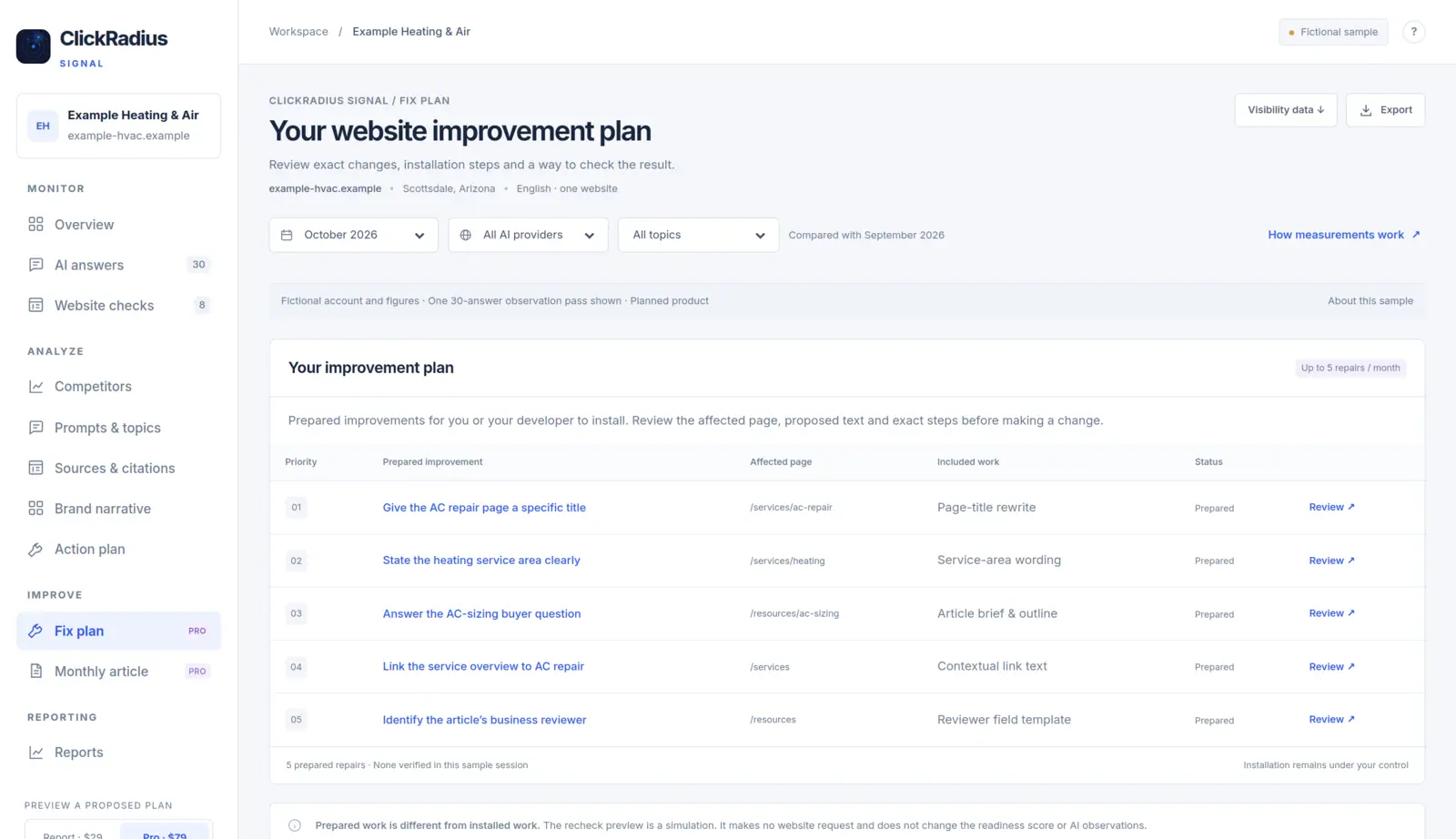
- The proposed Pro plan prepares up to five website repairs a month, each with the affected page, proposed text and exact steps.
- Prepared is not installed, and installed is not verified. The demo keeps all three distinct.
- Pro also includes one researched article a month, with three primary sources and one revision round, ready for the owner's review.
- You or your developer install the repairs and publish the article. ClickRadius Signal doesn't change your website.
ClickRadius Signal is a planned product for 2027. Pro is proposed at $79 a month, and prices and delivery still require a paid pilot. This guide describes the Pro features shown in the public demo, which uses a fictional business, Example Heating & Air, and synthetic figures.
Report explains, Pro prepares
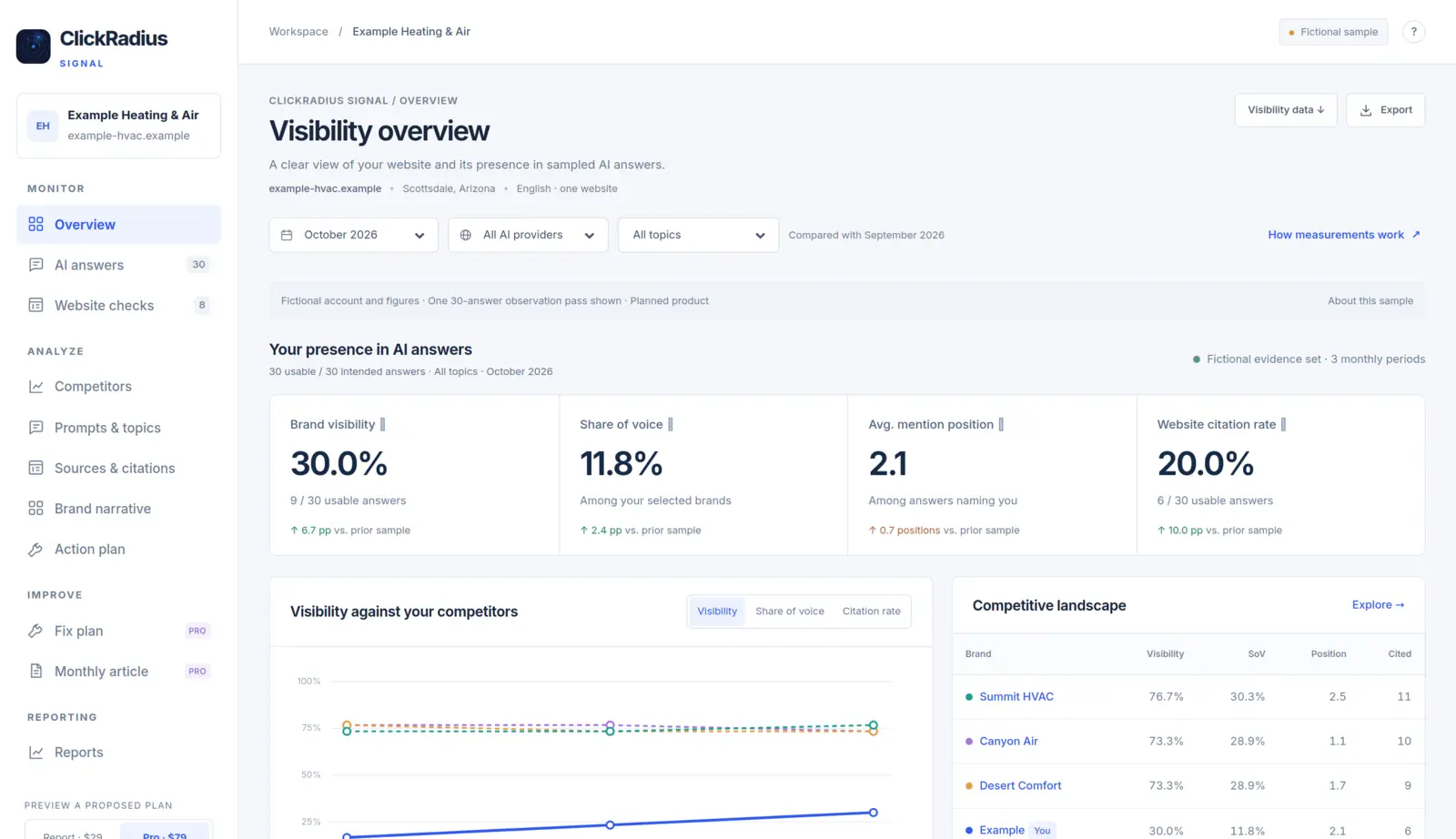
Both proposed plans show the full diagnosis: what the AI answers said and which website checks need attention. The demo sums up the difference in four words: "Report explains · Pro prepares the fixes."
On Report, you see each finding and decide how to fix it yourself. On Pro, up to five findings a month become prepared repair cards, and you also receive one researched article. For a full side-by-side, see ClickRadius Signal Report vs Pro.
The improvement plan
Pro's fix plan is described in the demo as "prepared improvements for you or your developer to install." Each repair is listed with its priority, the prepared improvement, the affected page, the included work and its status. Opening one lets you review three things before touching your site:
- The affected page, so you know exactly where the change goes.
- The proposed text, so you can check it's accurate for your business.
- Exact steps, so you or your developer can install it without guesswork.
The repairs address website findings of the kind described in the website readiness score, explained. The demo's footer for the plan reads "5 prepared repairs · None verified in this sample session" and "Installation remains under your control."
The action plan
Separately, the Analyze area includes an action plan where each recommendation keeps the observation, the proposed work and its review status together. Statuses in the demo are recommended, in progress and ready for review, so you can see what's waiting on whom.
Prepared, installed and verified
These three words describe three different states, and the demo is strict about keeping them apart.
| State | What it means | Who does it |
|---|---|---|
| Prepared | The change is written up with the page, proposed text and steps | ClickRadius Signal Pro |
| Installed | The change has been made on your website | You or your developer |
| Verified | The live page has been checked and shows the change | A later check of the live page |
In the demo's words: "Prepared work is different from installed work." A repair card sitting in your plan has changed nothing on your site. And a change you've installed is only verified once the live page has been checked.
A prepared fix has changed nothing until someone installs it, and nothing is proven until the live page is checked.
Even verified changes need patience. A repaired page doesn't prove that later AI answers changed because of it. Record the date of each installation and read it against several months of observations, as covered in Website readiness isn't AI visibility.
The monthly article
Pro is planned to include one article per paid month, based on a customer question. The demo describes it as "a researched draft with three primary sources, ready for the business owner's review."
The demo example
The demo's article for its fictional HVAC business is titled "Before You Replace Your AC: Five Questions to Ask." It walks a homeowner through five questions to ask before approving a replacement:
- What is causing the problem?
- How was the right equipment size determined?
- Have airflow and ducts been checked?
- What does the written price include?
- What will I receive after installation?
Its sources are listed at the end: U.S. Department of Energy Building Science Education, and ENERGY STAR quality-installation and contractor-selection guidance. The article also says plainly that it is "an illustrative article for a fictional account, not advice based on an inspection of a particular home." It's written to help a customer make a decision, not to push a sale.
From draft to published
- Owner review. The draft arrives marked ready for owner review. The demo's checklist tracks primary sources (3 included), company review (pending), publication status (not published) and revision round (1 included).
- One revision round. You can request one round of edits per article. In the demo, the edit request is a preview that "sends no message and creates no job."
- Suggested title and description. The demo supplies a suggested page description and a suggested title, with a reminder to review the company context before publishing.
- You publish. Download or copy the article's HTML and publish it on your site. The demo labels this step "Customer publishes."
Your review matters. You know your business, your prices and your local rules. A researched draft is a starting point that still needs the owner's knowledge before it goes live.
Prefer it done for you?
If installing repairs and publishing articles each month isn't realistic for you, managed ClickRadius deploys fixes through WordPress, Shopify, a JavaScript snippet or Cloudflare, re-scans to confirm each one, and includes 8 authority blog posts and 10 knowledge articles each monthly billing period. It is $499 a month for a standard site.
Common questions
Will ClickRadius Signal install the fixes for me?
No. Self-serve customers install changes and publish content themselves. That's the core difference from managed ClickRadius.
What if I don't have a developer?
Many repairs, like page text, can be made by anyone who edits your website. If nobody on your side can make changes, read Managed or self-serve? before choosing.
Do unused repairs roll over?
The demo describes up to five prepared repairs a month and doesn't address rollover. Final plan details depend on the paid pilot.
Can I choose the article topic?
The demo says each article is based on a customer question. How topics are chosen in the final product hasn't been set out yet; join the early-access list on the Signal page to hear more.
Questions about anything in this guide? Talk to a person. We answer every message.